
Track Personal Agent Protocol Traffic in Agent Analytics
Your human-experience metrics stay trustworthy when a personal agent writes part of a conversation, provided every user turn carries a label that says who wrote it. Personal Agent Protocol, or Poppy, lets an AI act for one person inside your customer-facing agent, and the same conversation can hold turns the personal agent wrote and turns the person typed. This is the setup I would hand to an ai automation for business team whose agent already answers on chat, WhatsApp, Messenger or an API: label the author of each turn, keep one session per conversation, close the session once, and join your product events on the same identity. As of November 2026, the steps follow a vendor guide last verified on 19 November 2026 against Personal Agent Protocol 1.0.
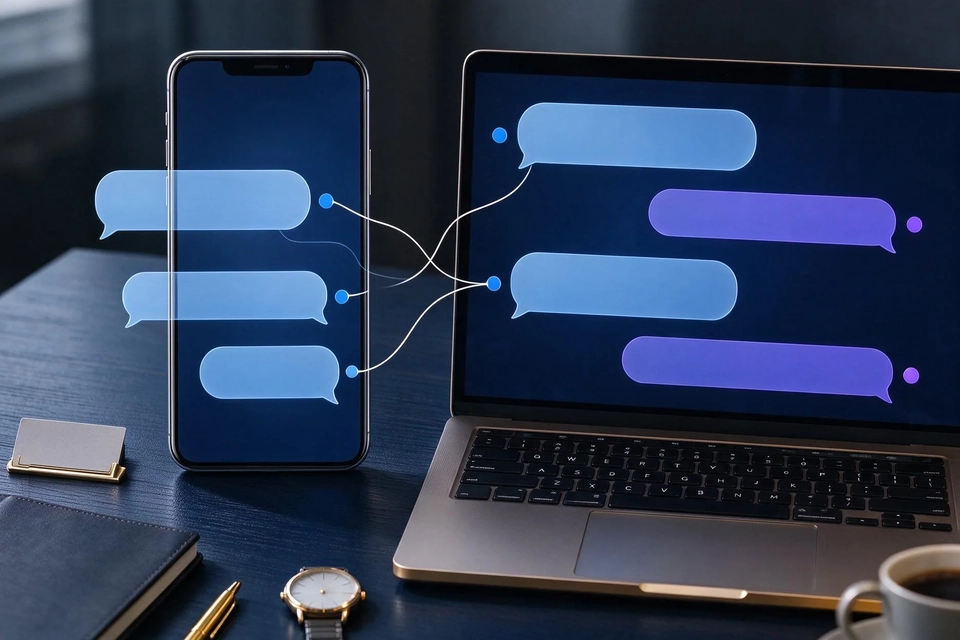
- Message Source separates a personal agent's text from the person's own words.
- A summary or translation still records as the personal agent's text.
- One session per conversation, closed once, keeps enrichment whole.
Who this is for, and what you need before step one
You are in the right place if your company runs its own agent and personal agents reach it over the protocol. That agent is the one the analytics evaluate. If personal agents only reach your APIs or your website, with no agent of yours in the conversation, you do not need this wiring; send ordinary product events instead. If the join between conversations and orders is the part you cannot see yet, the erp integration services side of the stack is where that gap usually lives. Before step one, confirm four things.
- Your server already accepts Poppy sessions and verifies the Poppy-Session header itself, per spec section 5.3. The analytics vendor never verifies that token, so pass only claims your own code has checked.
- An AI SDK for Node or Python in the agent, or a forwarder that posts agent events to the HTTP API, plus the project API key.
- Someone owns the identity decision: how the device ID is formed before sign-in, and which product user ID is set after.
- A data protection review has signed off on what leaves your infrastructure. Keep email addresses out of agent context, and let message text follow your content mode and redaction settings.
Effort is modest. If the agent already speaks the protocol, the vendor puts the wiring at about an hour of work: one tracking call per turn, one Session End at the close, and two event properties on the product events you already send.
How to tell a personal agent's messages from the person's own words in agent analytics, step by step
Two things do the separating. The first is Message Source on every user turn, taken from the message author. The second is a session keyed to the Conversation ID, so every turn of one conversation lands in one session. Work through the steps in order and check the stated result before moving on.
- Find the place your server verifies the Poppy-Session header, and the place it sets a conversation's closed flag. Use only claims from that verified token. If either place is missing, stop and ask the engineer who owns the endpoint, because a guess here produces labels that look right and mean nothing. When it is done you can name both functions and the claims they hand you.
- Map the claims to analytics fields. The Conversation ID in the request URL becomes the session ID, and you keep using the ID your chat system already has for that conversation. The token gives you the session identifier for context, the personal agent's client ID, the pairwise subject the personal agent assigns, and an agent ID when one is present. When it is done you have a short field map another engineer can read.
- Set Message Source on every user turn from the message author: a message a person wrote is user, and a message an AI wrote on that person's behalf is personal_agent. Do not use agent for this traffic, because that value means a parent agent instructing a child agent inside your own system, and those messages do not count as user turns. When it is done a test conversation shows both values on the two kinds of turn.
- Open the session on each turn with the Conversation ID, a device ID built from the personal agent's client ID and the pairwise subject, and the product user ID only after the person signs in. Do not wrap the turn in the call that ends a session when it returns; in Python, pass the flag that suppresses the session end. When it is done Live Events shows one session ID across the turns, a device ID before sign-in, and a user ID only after.
- Put three context properties from the session on the agent: the personal agent's client ID, the session identifier, and the agent ID when the token carries one. Treat them as filter dimensions and leave personal data out of them. When it is done the context filter lists the personal agent and the session, and you can slice sessions by either.
- Send one Session End where the server sets the conversation's closed flag to true. If your endpoints run through the SDK middleware, turn its own session events off and give it a resolver that returns the Conversation ID, or it closes the session after every request. When it is done exactly one Session End arrives, after the close, and none of the earlier turns has produced one.
- Add the session identifier and the personal agent's client ID as event properties to the product events your server already sends for a verified request, using the same device ID and the same user ID. Send a colleague's replies after a handoff as AI Response events with Message Source human_agent, through the HTTP API or your help desk integration. When it is done an order or booking event from the same request carries the session identifier, and a person's typed reply no longer looks like an AI response.

What each label means, and where the number can mislead
Read the label as a statement about authorship, not about quality. A user turn with Message Source user holds the person's own words. A user turn with personal_agent holds text an AI wrote for that person, and it can be a summary, a paraphrase or a translation of what the person said. The protocol carries those under the agent author, so they record as personal_agent. That detail matters when you read a quality score, because a clumsy paraphrase is not evidence that the person asked a clumsy question.
A Poppy Session is not a conversation. One session covers a person's browsing, API calls and conversations through one personal agent, and a conversation can continue in a new Session. Key the analytics session on the Conversation ID so each conversation stays one session, and keep the session identifier in context so you can join that conversation to the rest of the Poppy Session.
The pairwise subject is stable for one person at one company through one personal agent, and it is unique only inside that personal agent. Two personal agents can send the same subject for different people, which is why the device ID has to combine the personal agent's client ID with the subject. A personal agent may also issue a new subject for each anonymous browsing session, and those visits will not group; that is a property of the channel, not a fault in your integration.
Set the time range before you compare. A session ends when your server closes it. If a conversation never closes, the default close lands at 30 minutes without a qualifying agent event, and at 24 hours from the session start when no per-session override is set. If your conversations can pause for hours, set the idle timeout on the session instead of letting the default decide for you.
A higher step-in rate is not proof that the personal agent did badly. Compare sessions that carry a personal agent against sessions that do not, on the same quality signal and over the same period, before you draw a conclusion. Otherwise you are reading a difference in who uses the channel as a difference in how well the agent performs.
Common mistakes in Singapore accounts and sites
The usual mistake is using the token's session identifier as the analytics session ID. It splits one conversation as soon as the person continues in a new Session, while the Conversation ID keeps it whole.
The second is closing the session after every turn. Enrichment runs once, after the first close, so a per-turn close scores every turn on its own and leaves you comparing fragments. Middleware that ends a session when a request returns is the usual cause; turn its session events off and resolve the session ID yourself.
A third is sending the pairwise subject as the product user ID. The analytics platform does not merge two different user IDs, so the anonymous events never join the signed-in person. Keep the subject inside the device ID, and set the user ID your product analytics already uses once the person signs in.
Another mistake is treating the agent label as an alias for personal_agent. The protocol's value for a personal agent message is personal_agent, while agent belongs to delegation inside your own system. Mixing them either loses the personal agent's turns or files them as delegated work that never reaches the user-turn metric. For an ai automation for business programme that runs several agents, that confusion spreads across every dashboard built on the same property.
Privacy slips in through context. The personal agent's client ID is a URL, not a person, and context is a filter dimension rather than a place for content. Put email addresses there and you have copied personal data into a system that only needed a label. In the metadata-only content mode the context is dropped entirely, so a filter that worked yesterday disappears without a warning.
Teams that split work between an agency and an in-house analyst often end up with two naming plans on one property. Agree the names once, in writing, and let one team own changes.
When the person joins your website from the personal agent, the browser carries its own device ID. Join those events by the session identifier until sign-in, then set the same user ID in the browser SDK as on the agent events. Singapore sites that run chat, WhatsApp and a web store on separate stacks hit this one most often.

How to check it worked
Run one conversation with a personal agent turn and a turn the person typed, close it, and read Live Events before you open any dashboard. You are checking identity and labels in the raw stream, where a mistake is still visible.
- Session ID equals the Conversation ID, not the token's session identifier.
- Device ID is present from the first turn, and the user ID appears only after sign-in.
- Each user message carries Message Source personal_agent or user, matching who actually wrote it.
- Context shows the personal agent's client ID and the session identifier.
- Exactly one Session End arrives, after the close.
- A product event from the same request carries the session identifier.
The same labels support the charts worth keeping. Filter sessions on the personal agent's context key and compare task completed, response quality and user friction against sessions without one. For step-in rate, count the sessions that carry a personal agent and also contain a user message with Message Source user, then divide by all sessions that carry a personal agent. For outcomes, split a funnel from user message to operation approved, or to your own conversion event, by Message Source on the first step.
One more check before you trust a comparison: look at the same window on both sides. A personal agent that only appears during a campaign week will flatter or damage the agent's score for reasons that have nothing to do with the agent. The erp integration services record of closed deals is often the only place where the second half of that question can be answered.
What this means for a Singapore team running an AI agent
Topkee builds the same split into the systems it delivers. YME Chat Agent receives enquiries on website chat, WhatsApp and Messenger, identifies intent, guides contact capture and hands the conversation to a person by stage. That handoff is the line the Message Source label draws, and each conversation is synced to the lead system in real time so channel attribution continues downstream. Topkee describes the product as a conversational reception unit embedded in the growth system.
YME Conversational Marketing holds the records around it: a Customer Info Center that consolidates conversations and centrally manages every chat message and reply, a Team Collaboration Hub for assignment and progress, CRM integration that ties each session to the company profile and its conversation history, and a CSAT engine that reads live and historical context.
Human Confirmation & Review sets a checkpoint into every AI workflow. The team checks figures, sources, wording and delivery permissions before approving, the salesperson edits and confirms outbound content, and a CRM field update keeps its owner, next step and activity log. Custom AI Agent Development is sold on design principles that read like an audit trail: data has provenance, execution has permission, results are verifiable, delivery is handover-ready. Permission lists, operation records, exception tests and handover documentation are part of acceptance.
On the data side, System Integration verifies CRM, ERP, e-commerce and cloud interfaces and authorisation before building shared data and operation capability through API connection, data mapping and one- or two-way sync. Its CRM scope covers interaction management, which logs email, phone, social-platform and chat-session interactions. Lead management records every call, chat log, email log and stage-change log, writes stage events back by lead ID and, on closing, returns the tag, ad-theme source and platform label that the salesperson's deal amount needs for per-channel attribution. A free tracking-funnel audit reviews pixels, analytics tools, conversion events and attribution gaps, and traces how enquiries from forms, phone or chat enter follow-up. If personal agents are also becoming a traffic source for your own site, AI Agent Traffic and Your SEO Plan covers what that shift does to search.
Next step
Pick one live conversation that already mixes a personal agent and a person's own turns, wire it, and keep the Live Events check as your gate before you widen to every conversation. Then carry the same identity into the order or CRM system that closes the loop. Without the session identifier on the product event, the analytics can tell you a personal agent wrote a turn, and the revenue report cannot tell you what it was worth. That join is erp integration services work as much as analytics work, because it depends on the interface and the authorisation between the agent, the CRM and the accounting system. If the agent itself is still being scoped, the page for ai automation for business sets out how Topkee builds and hands one over. For a smaller site, CRM vs CMS: which one your small business needs is the companion read on where customer records should sit.
Sources
- "Track Personal Agent Protocol traffic in Agent Analytics", Amplitude docs, 2026-11-20. https://amplitude.com/docs/amplitude-ai/agent-analytics/integrations/personal-agent-protocol
- "Personal Agent Protocol + Amplitude Agent Analytics: personal agent traffic", Amplitude GitHub guide, 2026-11-19. https://raw.githubusercontent.com/amplitude/Amplitude-AI-Node/main/docs/integrations/personal-agent-protocol.md
- "Personal Agent Protocol specification (version 1.0)", personalagentprotocol.org, accessed 27 November 2026. https://personalagentprotocol.org/docs/1.0/spec