AI incident response: a playbook for AI automation
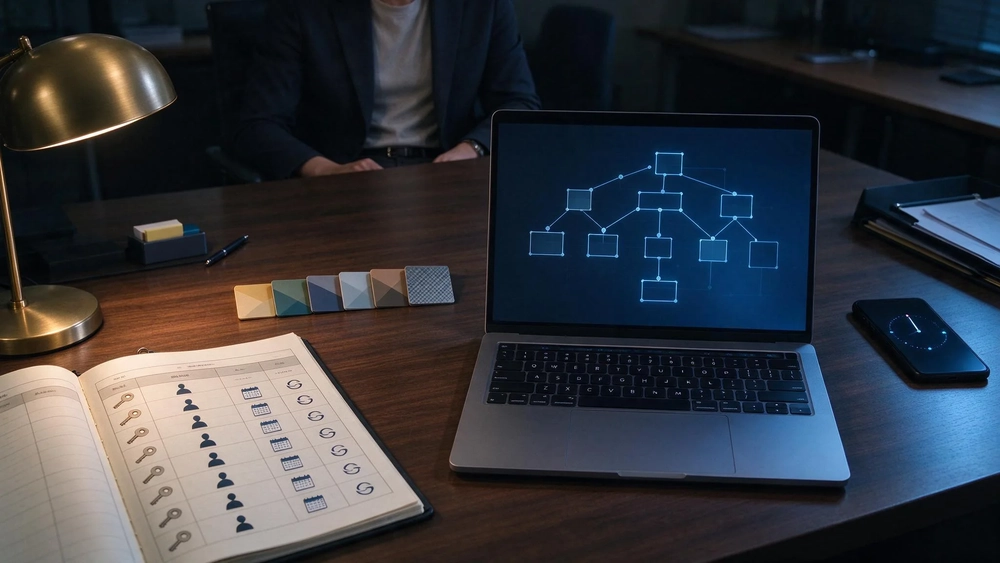
Before you respond to an AI incident, build one document: a register of every AI asset you run and every credential that can reach it. Then work the six steps below in order, from capturing evidence before any cleanup to a closure that someone outside the response has verified. The entry point of an intrusion changes with the product, but the material an attacker wants does not: provider keys, proxy keys, database connection strings, tenant configuration. For a Singapore team running ai automation for business, that register is what sets the pace of the first day.
Key takeaways:
- Define the incident before you respond: which systems, which credentials, and which time window you are measuring.
- Preserve evidence before cleanup, because a wiped host removes the record of what the attacker read.
- Revoke at the provider, not only in your console; deleting a key locally can leave the upstream access live.
- Contain at the narrowest boundary you own, which for most teams is one tenant or one agent instance.
Who this playbook is for, and what you need before step one
This is for the person who runs the AI stack without running a security operations centre: a marketing or operations lead at a Singapore SME, or the owner of a small agency account holding client data. It assumes some form of ai automation for business is already live: a model gateway, a retrieval service, a workflow runner, a vendor agent platform, or an integration reading a CRM or ERP.
What to have ready before step one:
- An inventory of AI surfaces: every gateway, retrieval service, workflow tool, agent platform and connected business system, with the owner of each.
- A credential register: which key sits where, who issued it, what it can read or change, and when it was rotated.
- Access on the day: administrator rights on the AI console, a log export path, DNS and egress logs, and the secret store holding provider keys. Ask now, while there is no pressure.
- A named incident owner, a deputy, and an out-of-band channel the attacker is unlikely to read: a phone bridge or separate workspace, not the chat tool on the compromised tenant.
- A log retention decision. The joint advisory from the cybersecurity authorities of five nations recommends retaining log data for at least one year.
- A budget line for independent forensics and the engineering hours a response consumes. The amount depends on vendor and scope; funding it in advance saves time, because a procurement approval mid-incident will not arrive fast enough.
The system inventory is also where integration work starts. Teams using erp integration services should hold the same list for the connectors, since each connector is another place where a credential waits. If you are deciding what belongs in that inventory, CRM vs CMS: which one your small business needs covers where customer records usually sit.

The six steps, in order
The order follows the advisory's guidance on evidence and what the vendor cases show about where access is cut. Work down the list, and write the time of each action into the log as you go.
- Freeze the evidence before you touch the system.
Capture the process tree, the gateway environment, the database connection strings, the authentication logs and the outbound connection records. Export; do not tidy. Preserve the state before patching, rebooting or rebuilding, because those actions destroy volatile data and the record of what was read. If the capture holds personal data, route it under your privacy notice and retention schedule rather than a shared drive.
Expected result: a dated evidence pack stored outside the affected tenant, with a named custodian and an index of what it contains.
- Draw the blast radius from the control point outwards.
Start at the system that shows the anomaly and list what it could reach: provider keys in its environment, the database it writes to, services that trust it, accounts that share its credentials. Compare that with the register and mark every key the control point could read. Teams skip this because the first symptom looks like a single application fault.
Expected result: a one-page list of exposed credentials and reachable systems, each marked as confirmed, likely or ruled out.
- Revoke at the source, then in the console.
Rotate provider keys at the provider, revoke proxy keys at the gateway, reset database credentials at the database. Deleting an entry in your own console is a different action, and a key that still works upstream is still an open door. Work from the blast-radius list and record when each revocation took effect.
Expected result: every key on the list shows as revoked or rotated at its issuer, and a test call with the old value fails.
- Contain at the boundary you actually have.
For most small teams that is a tenant, an agent instance or a vendor workspace. Stop the instance rather than the platform, disable the single integration rather than every connection, and tighten the network path (IP allowlist, egress rule, management port) around the affected surface.
Expected result: the affected instance or integration is isolated, the rest of the stack still serves customers, and the change is recorded with who approved it.
- Move the conversation off the compromised network.
Use a channel that does not depend on the tenant under investigation. The advisory warns against communicating over the network where the response runs, since an attacker still present learns the plan. Tell customers what to rotate, and tell them early; a stored token they still hold is standing access.
Expected result: an out-of-band channel, and every affected customer holding a written instruction with the exact credential to rotate.
- Eradicate and prove the closure.
Remove the persistence, not only the entry point: scheduled jobs, added SSH keys, modified startup files, extra service accounts. Then test the path used, from outside, and have someone who was not on the response check the result. The advisory recommends third-party support here, and warns against fixing symptoms instead of the root cause.
Expected result: a closure note naming the entry path, the persistence removed, the test that now fails, and who verified it.
What the control-point cases show
Microsoft's investigations into three distinct AI workloads show how these incidents run: a LiteLLM gateway, a RAGFlow deployment and a Kestra workflow environment. The entry paths differed. The objectives did not.
| Workload | What the attacker reached | The signal it left |
|---|---|---|
| Model gateway | Provider keys and the gateway master key in the process environment; virtual keys and model records in the backend database | The gateway process spawning a shell, a downloader or a Python interpreter |
| Retrieval service | Provider credentials entered after a hook was planted in the tenant model-configuration flow | Application files changed in the startup path |
| Workflow runner | Container environment values, orchestration secrets, host CPU for mining | Workflow-origin shell sessions and Docker socket access |
The pattern is concentration. Each workload holds credentials for many downstream systems, so one compromised process reaches all of them. Microsoft's advice follows: treat the gateway as a secrets store, issue per-team virtual keys with spend limits rather than sharing a master key, keep provider keys in a managed store rather than the process environment, and allow outbound traffic only to the endpoints you use.
The threat trend behind the cases needs a careful read. Google Threat Intelligence Group and Mandiant report that zero-day exploits averaged 8 per month in 2025 and 11 per month in 2026, before spiking to 22 in August. Those are counts of exploited zero-days in the vulnerability statistics they analysed in September, not a count of AI-caused attacks. The number measures how much unpatched surface attackers had, and the report says automated exploitation shortened the gap between a patch and a working exploit. Reading it as "AI attacks rose" overstates the metric; "the window to patch is shorter" is what the data supports.
If the pressure comes from exploit speed, the controls that matter reduce exposure time: patch the internet-facing control point first, keep management interfaces off the public internet, and make sure a new credential does not inherit standing access.
Common mistakes in Singapore accounts and sites
The advisory lists the mistakes that turn a contained incident into a longer one, and small teams make them in local shapes.
- Cleaning before capturing. Rebuilding the affected host feels decisive, but it destroys the memory and process evidence that would tell you what was read. Capture first, then rebuild.
- Blocking an address preemptively. Infrastructure is cheap to replace; the attacker moves and you lose the visibility that came from watching the old address.
- Resetting every password at once, too early. A reset before the evidence is collected can tip the attacker and hide the scope. Plan it, then execute in one coordinated pass.
- Failing to preserve logs. If a log type was never collected, or kept for a shorter period than the incident needs, the scope may never be settled. One year is the advisory's floor.
- Fixing the symptom. Blocking one address, or patching one plugin, leaves the access path that the attacker built behind it.
The local version of the first mistake is the agency seat: an agency holds an admin login for a client's stack, and the fastest move when something looks wrong is to remove it. Do that after the capture, and record who held it and what it could reach. The shared chat channel is the local version of the last one, and exactly where a response should not run.
How to check it worked
A response is a set of claims, each needing its own check, recorded with the time. Logs are complete for the incident window: confirm the retention setting, the central store and the clock source, because a gap in timestamps is a gap in the timeline. The gateway no longer spawns shells or interpreters: alert on that relationship, not a file hash, since the payload changes between campaigns.
- Revocation is verified at the issuer, not in your console. Make one call with the old key and confirm it fails, then check the provider's usage report the next day.
- Egress follows the allowlist. A deny-by-default rule with named endpoints is the check; an alert on raw-IP connections is the early warning.
- The permission list matches reality. Compare who had access before and after, and remove the accounts nobody can justify.
- The closure test fails. Run the entry path from outside, confirm it no longer works, then have a second person repeat it.
The useful measure after a drill is time to contain: minutes from the first alert to the moment the affected instance is isolated and the keys are revoked. Measure it the same way each time, and treat a faster number as meaningful only when the drill scope matched.
What Topkee's platform design assumes about containment
Topkee's published notes describe a platform built around boundaries, not a promise that nothing will go wrong. Customer accounts, data and services are isolated from every other customer; one campaign runs as one isolated agent instance with its own workspace and memory. The gateway injects tenant identity into each request and enforces a per-tenant IP allowlist, so containment can happen at the tenant or instance level without taking the platform down.
The permission model is explicit too. External systems are read-only by default. An external send, a budget change or an order change needs separate approval or pre-authorisation, and delivery includes a permission list and an activity log of what the agent could read and execute. Credentials sit in encrypted storage. Tokens are short-lived and scoped, and access runs through an SSO gateway using PKCE and a service JWT. Execution results and failures are retained with error details, and exception reviews record the cause and how a person handled it, the trail an incident review asks for.
For a team buying rather than building, the notes describe the assessment before integration: systems, API availability, data quality and access permissions are checked before a connection is designed, and the result is a function and interface list with a fixed quote. That is the moment to build the credential inventory this playbook opens with, which is why the ai automation for business question and the incident question are the same one at different times.
Build the response internally when one team holds the whole stack: a single platform, a single tenant, an engineer who can read the gateway and the logs, and no client data beyond your own. Bring in a partner when the AI runs across client accounts or several tenants, when permission changes hands between staff, or when an audit trail has to survive a staff departure. What you are buying in that case is a partner that can bound permissions, isolate tenants and hand over an audit trail. The notes describe those as platform properties: isolation of customer accounts, data and services; external systems read-only by default; a permission list and activity log; short-lived scoped tokens behind the SSO gateway. Each should be shown as evidence, not intent.
Two limits belong here. These are public product descriptions, not incident-response commitments: the notes publish no response time, no security operations centre and no certification. Rollback, which they do describe, is a containment tool, not a substitute for the evidence capture in step one.
Next step
Write the asset and credential register before you choose another tool. It is the part of the playbook that survives staff changes, and it makes step two possible on the day. If it shows integrations you cannot account for, the erp integration services assessment is where to close that gap: it inventories systems, interfaces, data quality and permissions before anything new is connected. AI Agent Traffic and Your SEO Plan explains how agent traffic is changing what your site sees, useful context when you decide how much of the stack to expose.
FAQ
What counts as an AI security incident?
An event where an unauthorised party reaches or uses an AI system, its credentials or its data. The Microsoft cases show the shape: an exposed control point, credential collection, a persistence step. A model giving a bad answer is a quality problem, not this kind of incident.
How long should we keep logs?
The joint advisory published on 1 September 2020 recommends retaining log data for at least one year. Set that floor on each service you use, because an incident can be found long after it started.
Should we shut the AI gateway down at once?
Isolate the affected instance and revoke the exposed keys, and keep the rest of the stack running where you can. A full shutdown destroys the running state the evidence pack needs, and stops the business without proving anything about the attacker.
Can we rely on the vendor's incident report?
Use it as one account of the event, and verify what decides your actions: which credentials were exposed, whether they were revoked at the issuer, what persistence was removed. A vendor report is a claim, not a conclusion.
Sources
- "Not If, But How: Responding to Security Incidents in the Age of AI Attackers", MarkTechPost, 19 November 2026. https://www.marktechpost.com/2026/11/19/ai-security-incident-response-playbook-2026/
- "GTIG AI Threat Tracker: Agentic Threat Activity Crosses a Significant Threshold", Google Threat Intelligence Group and Mandiant, Google Cloud blog, November 2026. https://cloud.google.com/blog/topics/threat-intelligence/agentic-threat-activity-crosses-a-significant-threshold
- "When AI infrastructure becomes the target: Securing gateways and control points", Microsoft Security Blog, 26 August 2026. https://www.microsoft.com/en-us/security/blog/2026/08/26/when-ai-infrastructure-becomes-target-securing-gateways-control-points
- "Joint cybersecurity advisory: Technical Approaches to Uncovering and Remediating Malicious Activity (AR20-245A)", Canadian Centre for Cyber Security with CISA, NCSC, CSE, CERT NZ and ACSC, 1 September 2020. https://www.cyber.gc.ca/en/news-events/joint-cybersecurity-advisory