
Google Ads Search Insights: what the report shows, and what to do with it
Google now surfaces a Search insights tab inside Insights Finder, and as of November 2026 it is available to advertisers in Singapore. The tab shows which queries around a topic are rising, holding steady or fading, based on indexed search volume for the past 3 years. For a marketing lead deciding next month's keyword themes, that is a useful official signal, and it is also easy to oversell. Before you rebuild a plan around it, decide who should own the reading: your own team, or a sem agency that already runs the account.
- The report is a trend view rather than a keyword tool. It shows indexed search volume for a topic across 3 years and groups queries by momentum.
- The windows are fixed: rising covers the past 6 months, sustained covers 18 months, declining covers the past 3 months.
- Search data refreshes monthly, usually 1-2 weeks into the following month; audience data refreshes weekly on a 30-day lookback.
- Singapore is one of the countries where Insights Finder is available, but search data is reported at country level.
- A trend becomes a decision only after your own conversion data confirms it.
What changed in Google Ads, and when?
On 27 November 2026, Search Engine Roundtable published screenshots of the search ads insights report taken from a live Google Ads account by Govind Singh. The write-up points to two official references, a Google Ads help page called About Insights Finder and a Google business blog post from June this year written with WPP Media.
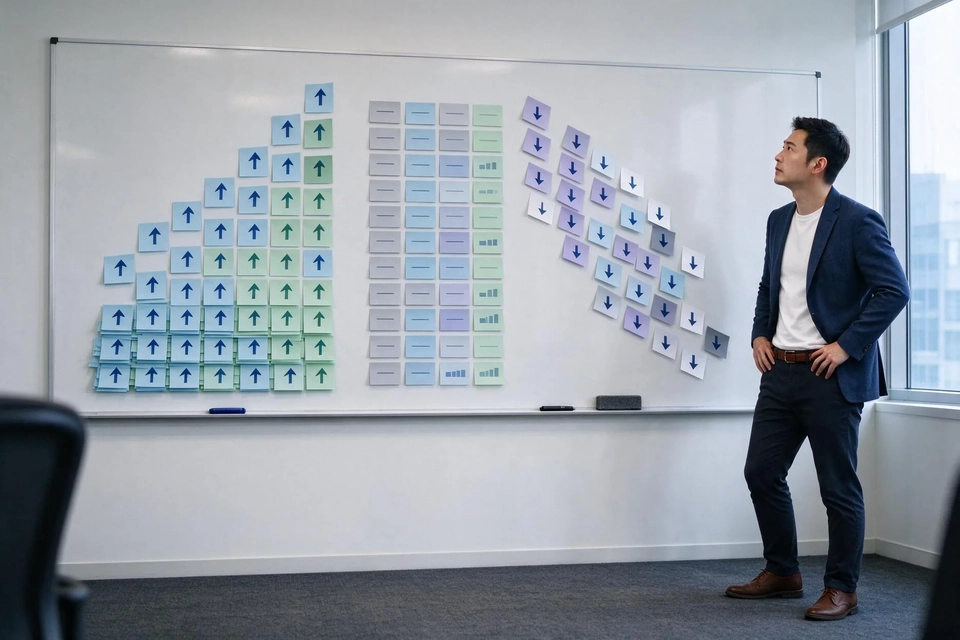
The help page is the more detailed of the two. It describes a Search insights tab that explores Google Search data for emerging and declining trends in a topic or category, and lists relevant and trending queries. Two parts matter to an advertiser. The Trends view shows indexed search volume for the topic over the past 3 years. The Queries view sorts terms into groups: the most searched, rising terms that have grown more popular over the past 6 months, emerging terms that became popular recently, sustained terms that have held steady over 18 months, and declining terms that have lost ground over the past 3 months.
The screenshots add a layer the help page does not spell out. The report shown in the account covers how searches matched ads, what people searched, which ad copy and assets appeared, and where people landed. Read the two surfaces together and they answer different questions: one about the market's appetite, the other about what your account actually did with it.
There is a caveat about the date. The reporter notes that the report has been documented for a while and had not been covered on the site before, so treat 27 November 2026 as the day it was widely discussed, not the day Google switched it on. That matters when a client asks why they are hearing about it now.
Why is Google pushing search insights now?
Google's argument, made in the business blog post from June this year, is about reporting rather than targeting. Jeppe Lehrmann and Nicholas Jakobsen, respectively chief media and innovation officer and executive activation director at WPP Media Nordics, describe search specialists spending their days on repetitive reporting, at a time when agencies were already 35% more advanced than advertisers in deploying AI.
Their agency's response was to build its own toolkit with Google, including tools it calls Search Navigator, Search Activate and Search Insights. The reporting tool uses AI to help a junior specialist reach insights that would once have needed years of experience, and for a team running sem google ads at any scale, reporting time is the constraint that shows first. WPP Media's Search Insights is the agency's own product, not the Google Ads tab described above, but the reasoning behind it is the same one Google applies to the platform feature: the data is plentiful and the analysis is the bottleneck.
The context the two authors give is worth holding on to. Their clients were asking harder questions because people now search in many places, from social platforms and retail sites to AI chatbots, and a single keyword list no longer describes how demand forms. A trend report helps with that, though it does not settle the strategy question on its own.
Who in a Singapore team does this change affect?
The marketing lead carries the decision, because the report gives a defensible reason to add, pause or retire a theme, and that argument lands in the budget conversation. What it does not do is prove that a rising query will convert, since the tab reports search volume rather than your pipeline. A sem agency is usually asked to bring that same argument into the client review, with the account numbers beside it.
The junior specialist is the likely operator, and the ceiling here is access rather than skill. Google's help page says Insights Finder serves most agency partners and brands, that you confirm eligibility with your Google account representative, and that Singapore is on the list of available countries. Data is typically available at country level only, and audience definitions such as age, gender and interests do not apply to the Search insights tab.

An agency sees the same data through a different lens, with stricter rules attached. Google requires all output to be marked confidential, and an agency may share insights with a brand only where it has a non-disclosure agreement with Google. If you work with a partner, ask how they handle that before you ask for a dashboard.
Not every company should start here. If conversion tracking is not in place, a trend list gives you nothing to check the decision against. If demand arrives through referrals or offline channels rather than search, the volume lines describe someone else's customer. And if the niche is narrow enough that Google's privacy protections thin the data out, the tab will look empty and tell you very little.
What should we do this week, in order?
- Confirm access first. Ask your Google account representative whether Insights Finder is enabled for your account, since availability in Singapore does not mean every seat can log in.
- Choose one topic rather than a list. A brand, a category or an interest works as the topic, and the report then shows queries related to it rather than only exact matches, because the associations are built from how people click.
- Set the date range for the question you have. Flexible ranges go back up to 11 months, which is enough to see seasonality before you decide a term is growing.
- Read the categories against each other. A sustained term and a rising term call for different moves, the first a steady bet and the second a test, while a declining term is only a problem if it is also spending.
- Check the account before the market. Take the few terms that matter and look at your search terms report, your match types and your negative keyword list. If a rising term is already covered, the report has confirmed a decision rather than created one.
- Run one small test per theme. Adjust match types, expand into longer variants, refresh ad copy, and make sure the landing page answers the query's intent. If you need a partner for the execution, a sem google ads team will usually do this inside the existing account rather than beside it.
- Put the review on the data's calendar. Search data refreshes monthly, typically 1-2 weeks into the next month, so book the review for the week after the refresh and the team will not be arguing about a month-old picture.
- Judge the test on conversions. Use cost per qualified lead or return on ad spend from your own reporting, because the trend report cannot tell you whether the new theme paid for itself.

How does Topkee turn these trend lists into account changes?
The reading becomes work at this point, and a sem agency is only useful if it can show the step from insight to account change. Topkee's search engine marketing service is a one-stop search advertising service across Google, Yahoo/Bing and Baidu, covering account qualification, keyword research, landing page build, SEO assessment, Google Business Profile, conversion tracking and periodic ad reporting.
The keyword work is the part that meets a trend report. Consultants use an in-house tool to mine core keywords, analyse industry data and search trends, and surface terms that are overlooked but have potential, and competitor keyword lists expand the set. The account then follows a five-step optimisation flow: keyword, match type, long-tail and negative-keyword work with landing-page alignment to intent and quality score; lead handling; proposal to close; and budget reallocation towards high click-through terms and peak hours.
Reporting closes the loop. Topkee's keyword, conversion and ROI reports are reviewed each period, and the Campaign Intelligence Report puts Google Ads, Yahoo Ads, Facebook Ads and GA4 on one yardstick, so a trend-driven test is judged in the same currency as everything else. Rank Tracker checks positions by country, search engine, language and device, which keeps a one-off spike from being mistaken for a trend.
For a Singapore advertiser, the local detail is that Topkee's Singapore company, Topkee Pte. Ltd., works from Raffles Place and was set up for the local market. That matters less for the tooling than for the reading, since local search behaviour differs from the regional average and the country-level data in the report is only as useful as the local judgement applied to it.
What should we watch next?
The first thing to watch is access. The help page lists a set of countries where Insights Finder is available, and if your account sits outside them the report is not a decision you can make yet, however useful it looks.
The second is how Google folds reporting into its AI products. WPP Media's case suggests the direction, with the repetitive part of reporting automated so specialists spend their time on analysis, and our note on AI slop and ChatGPT search share shows how quickly the search surface around that analysis is changing. If the pattern holds in the Google Ads interface, the junior specialist role changes shape and the training plan should change with it.
The third is the quality of the signal itself. Search data is refreshed monthly and reported at country level, and privacy techniques add statistical noise, so very narrow topics may return nothing. A trend that appears in one month and vanishes in the next is a reason to wait rather than a reason to spend.
Finally, watch the gap between volume and revenue in your own account. The report describes what people search; your conversion data describes what they buy. A theme earns budget only where the two agree, and the steps above are how to test it. A sem google ads partner should be able to show that join in its own reporting, not only in a trend chart. For the reporting side, the brief on Google Ads channel report definitions explains how those numbers should be read before they reach a client.
Sources
- "Google Ads Search Insights", Search Engine Roundtable, 27 November 2026. https://www.seroundtable.com/google-ads-search-insights-42626.html
- "About Insights Finder", Google Ads Help, Google, undated. https://support.google.com/google-ads/answer/11161206?hl=en
- "Beyond the keyword: Making search strategic again with WPP Media", Google, June 2026. https://business.google.com/en-all/think/search-and-video/search-strategy-wpp-media/