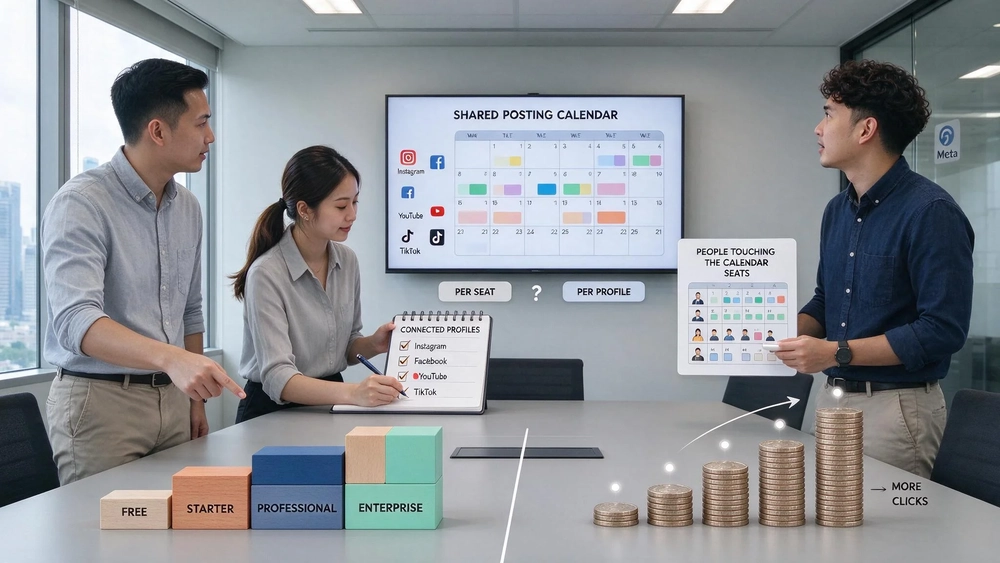
Best social media management tools: read the tier before you read the price
As of November 2026, the social media management market splits into four price bands: free plans, starter plans at $10 to $50/month, professional plans at $50 to $200/month and enterprise plans at $300+/month or custom pricing. That frame comes from HubSpot's review of the vendor list, and it is a serviceable starting point. What it does not tell you is the number that decides whether the subscription is worth the money, which is what a facebook ads price actually buys you once the paid side of the same social presence is added to the bill.
That second number is easier to read than most managers expect. A tool subscription is a fixed monthly fee for scheduling, inbox work and reporting. Meta advertising is a variable cost per click, priced differently for each objective. Mixing the two into one budget line is how teams end up with a tidy dashboard and no answer to whether either purchase worked.
Key takeaways
- Starter tiers run $10 to $50/month, professional tiers $50 to $200/month, enterprise tiers $300+/month or quoted per contract, according to HubSpot's November 2026 review.
- Instagram and Facebook are tied as the platforms companies use most, both at 70%, with YouTube at 69% and TikTok at 57% across the same survey.
- The pricing basis matters more than the headline figure: some plans charge per seat, some per connected profile, and the two models diverge sharply once a team grows past a handful of people.
- A tool price says nothing about advertising cost. The paid side needs its own measurement plan, or the subscription is judged on the wrong number.
Why the tier list is not the decision
HubSpot's pricing breakdown puts the tiers in a row and leaves the reader to pick one. The tiers are honest, but they describe what a vendor charges, not what the buyer receives. Two vendors can sit in the same band and count completely different things. That is the whole business case for checking an instagram campaign team's quote against the vendor's pricing basis at the same time.
HubSpot's own advice in that review is to check whether pricing scales per user or per social profile before committing, because the answer changes total cost substantially. The review describes the difference as one of the largest sources of surprise spending. That sentence deserves more weight than the tier table above it.
A starter plan at $10 to $50/month for a single marketer with three profiles is one thing. The same band reproduced across eight people is another. An instagram campaign handed to a three-person team sitting on a per-seat plan costs three seats, while the same campaign on a per-profile plan costs whatever two or three profiles cost, regardless of how many people touch the calendar.

The four price bands, and what each one tends to include
The tiers HubSpot records are specific enough to use as a first filter. Each one maps to a team shape, and the feature gap between them usually shows up in collaboration and reporting rather than in scheduling.
| Band | Monthly price (HubSpot, Nov 2026) | Usually built for | What starts to appear |
|---|---|---|---|
| Free | Nothing per month | Solo operators, tests | Scheduling, basic analytics, capped profiles or queued posts |
| Starter | $10 to $50/month | Solopreneurs, small businesses | Basic scheduling and analytics |
| Professional | $50 to $200/month | Teams with reporting obligations | Advanced analytics, listening, team collaboration |
| Enterprise | $300+/month or custom | Large teams, agencies, high post volume | Multi-account structures, permissions, client separation |
Read the professional band as the point where listening and shared collaboration appear, not as a speed upgrade. If the team does not need to assign approvals or monitor mentions, the starter band may hold for another year.
Vendor prices inside those bands
Real price points make the frame concrete. HubSpot's review lists the following, all monthly and in US dollars:
- Sprout Social: Standard $199/month, Professional $249/month, Advanced $399/month, and a 30-day free trial. HubSpot describes it as one of the most expensive options on the market, starting at $249/month in the summary of its price.
- Buffer: a free plan, with paid plans at $6/month and $12/month for Team.
- Later: Starter $25/month.
- SocialPilot: an entry price of $30/month, rising to $200/month for its Ultimate plan, with bulk scheduling for up to 500 posts.
- HeyOrca: a Basic plan, aimed at agencies needing client approval flows.
- HubSpot Marketing Hub: a free plan, then Starter at $15/month/seat, Professional $890/month and Enterprise $3,600/month.
Two details in that list matter more than the ranking. First, the $249/month and $199/month figures describe seats and profiles differently, so Sprout Social's position at the top of the cost table is a statement about its tier design, not about how much more it delivers per dollar. Second, SocialPilot's entry price of $30/month sits inside the starter band while its 500-post bulk scheduling sits at the capabilities an agency would otherwise buy in the enterprise band. Price alone will not tell you which one you need.
Is it worth paying for Facebook ads when the tool already reports on them?
Here is the part most comparisons skip. A tool bill is a fixed cost. An advertising bill is a variable cost that scales with impressions, clicks and whatever the auction charges that week. Treat them as one social budget and you cannot tell which purchase failed when the numbers move.
Take a small case. A Singapore firm runs an instagram campaign alongside its organic posting and buys a professional-tier tool at $50 to $200/month. The tool reports reach, engagement and posting frequency. Meta reports cost per result. If the monthly social line is a single figure, the firm cannot separate a bad creative test from a tool that was over-specified for its team.
Nadia Lim's reading of this, and the reason the two lines should stay apart: define the metric before you compare anything. For the tool, the metric is cost per connected profile per month, plus the hours saved on scheduling and inbox work. For the paid side, the metric is cost per result for the campaign objective you actually set. Neither number can be read against the other.
There is a second definitional trap. A platform's own report is not an independent measure of performance. Meta reports what Meta attributes, with its own attribution window and its own view of which touch gets credit. A tool's analytics reports what its integration receives. If the two disagree, the gap is a measurement question, not a performance question, and it gets resolved before either number is used to justify next month's spend.

Where to start: match the tool to the team, then the budget
HubSpot's review groups buyers by team size, and that grouping is more useful than the tier table because it explains who the collaboration features are for. A growing marketing team of 3 to 10 people gets its value from draft and approval flows and a shared inbox. Agencies need white-label reporting, separated client accounts and bulk scheduling. Enterprise buyers check for single sign-on, granular permissions and custom reporting.
Work down that list before you look at prices:
- Count the people who will touch the calendar, not the people who will read the report.
- Count the profiles and accounts you connect today, then add the ones you plan to connect this year.
- Write down which of the two counts the shortlisted vendors price on, from their own pricing pages.
- Multiply out twelve months at the count you expect in month twelve, not month one.
- Only then compare the annual figures between tools.
Step four is where most surprises come from. A per-seat plan quoted at the size of today's team can double by the end of the contract year if hiring goes as planned, and the renewal arrives before anyone adjusts the budget.
What the platform mix tells you about the tool you need
HubSpot's 2026 Marketing Report data, quoted in the review, puts Instagram and Facebook at 70% each as the most used platforms by companies, YouTube at 69% and TikTok at 57%. Those shares are close enough that a tool supporting two of the four is leaving a visible gap, and a tool that supports all four may be carrying features for a channel the team posts to twice a month.
The corrective is to look at your own channel split before the vendor's feature list. If Facebook is the platform where customers actually convert, and for most Singapore small businesses the paid side runs on Meta, a tool with strong Meta publishing and weak TikTok support can be the right purchase. That holds as long as the team is honest about the TikTok plan.
The publisher's view: where Topkee puts the line
Topkee treats social publishing and paid Meta advertising as two systems, because they answer different questions. Its Meta ads performance work builds targeting frameworks, collects the performance data and identifies high-value audiences for paid traffic, so the paid side can be judged on cost per qualified result rather than on impressions. The content side is planned and published on its own schedule and its own budget.
That split is why an article about facebook ads price and tool subscriptions has to say plainly where the tool stops. A management tool schedules the post and shows you the engagement. It does not set a facebook ads price, and it does not decide whether the campaign objective was the right one.

Where to read next
The paid side of the same social presence has its own playbook. Topkee's AI-powered Facebook ads approach for growth sets out how a targeting framework and a performance dataset are built before spend scales, and the Meta AI Facebook ads guide covers how the platform's own automation shapes delivery. Both read against the tool tiers above, because they answer the question the tier table cannot: what the money buys after the post is published.
How to choose when the quotes are close
When two shortlisted tools land within a few hundred dollars a year of each other, price stops being the deciding factor. HubSpot's team-size guidance and the two pricing bases then carry the decision: per-seat plans favour teams with many profiles and few people, per-profile plans favour teams with many people and few accounts. Write both counts down, apply them to each quote, and the lower annual figure is usually the one that looks cheap only until the team grows.
FAQ
Is it cheaper to run social media in-house or through an agency?
It depends on which side of the work you are counting. A tool subscription covers scheduling, inbox and reporting at a fixed monthly price, while paid media work is priced per campaign or per retainer. Compare the tool's annual cost with the agency fee for the same scope, and keep the advertising spend in its own line.
How much should a small business pay for a social media tool?
HubSpot's review places the starter band at $10 to $50/month and the professional band at $50 to $200/month in November 2026. A single operator with a few profiles usually lands in starter territory. Teams needing shared approvals and listening should budget for professional.
Does a higher tier make my Instagram campaign perform better?
No. The tier governs scheduling, collaboration and reporting, not the auction. Campaign performance is decided by the objective, the audience, the creative and the budget. A professional-tier tool with a badly aimed campaign costs more and performs the same.
What should I check before signing a social media tool contract?
Three things: the pricing basis, whether it counts seats or connected profiles; the number of profiles you will connect by the end of the term, not today; and whether the plan term auto-renews at a new rate. HubSpot's advice to check the pricing basis first exists because that is where the surprise comes from.
Sources
- Justina Thompson, "Best social media management tools", HubSpot Blog, 2026-11-07. https://blog.hubspot.com/marketing/best-social-media-management-tools
- "Best social media management tools for businesses in 2026", Sprout Social. https://sproutsocial.com/insights/social-media-management-tools/
- "The Social Media Content Calendar", HubSpot, free resource page. https://offers.hubspot.com/social-media-content-calendar