Photoshop 2027 ships an AI agent: where ai automation for business stops
Adobe released Photoshop 2027 at Adobe Max on 10 November 2026, and the headline additions are two layer-based AI adjustments, Relight and Generative Restyle, alongside a Creative Agent that runs across several Creative Cloud apps, Photoshop included. For anyone weighing ai automation for business, the release is a useful test case: it automates steps inside one tool, and it leaves the job of deciding what gets produced and what gets approved exactly where it was, and the measuring with it. As of November 2026, that division is the thing worth planning around.
I work with client datasets for a living, and the pattern in creative teams is familiar. A tool saves an hour per asset, the finance team asks what that hour was worth, and nobody can answer because the time was never measured in the first place. So before a studio buys into a new release, the useful question is which part of the workflow the tool touches, and which part still depends on a person with authority to sign.
This article sets out what Photoshop 2027 actually changes according to Creative Bloq's report, then builds a decision table for which creative steps are worth automating and which are not, and why the second group needs a record rather than a shortcut. It also marks the one metric that makes an AI tool decision measurable, and names the point where a single-tool purchase stops being enough.
Key takeaways
- Relight, Generative Restyle and the upgraded Remove tool change individual edits; the layer structure stays, so each change can be revisited later.
- Creative Agent is described as handling busywork and answering how-to questions, which is a support role rather than a production role.
- The beta list points at production problems, including flattened graphics converted to editable layers, mockups, recomposition for a new aspect ratio, and removal of lens flare and haze.
- Automating an edit and automating a decision are separate purchases; the second needs a record of who approved what and when.
- A tool-level hour saved under ai automation only means something if the team timed the process before the tool arrived.
Defining the metric before you buy the tool
Nadia's habit here: define the metric and the time range first, then look at the tool.
Take one recurring job, say five product key visuals a month for a regional campaign. Measure it for a full cycle before Photoshop 2027 is installed: hours from brief to approval, the number of review rounds, the number of versions produced, and the share of those versions that reached a live placement. Two months is a workable window if the volume is steady. One month is not, because a single rework week moves the average.
Then install the tool and measure the same four fields for the same job over the same length of time. A drop in hours combined with a flat review round count usually means the team is still producing the same number of do-overs, only faster. A drop in versions produced with the same count of live placements is a different result: the team is converging sooner.
I have seen this go wrong in the other direction too. A studio reported a large saving after a new editing feature shipped, and the saving disappeared when we compared like with like, because the second month had a smaller campaign. The number was real and the conclusion was not.
What Relight and Generative Restyle actually automate
Both new adjustments are layer-based, and Creative Bloq's report says you can return to them after making other edits. That is the detail that matters for any ai automation plan, because it means the tool's output stays a decision the team can revisit instead of a finished file.
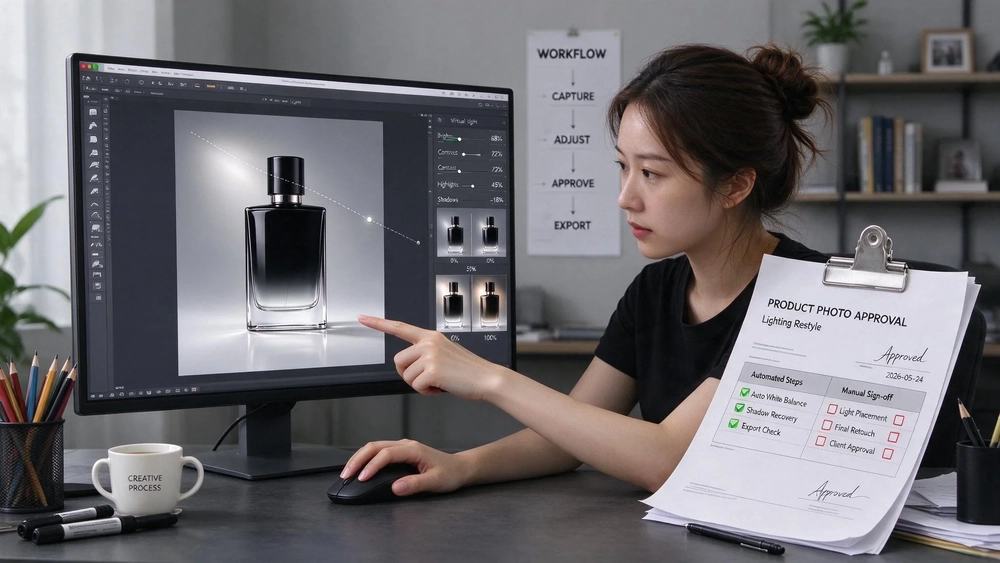
Relight adds a virtual light the user drags into position. The Properties panel exposes its colour, intensity and size, and a scene can hold up to three lights. In practice that is a relighting pass, done inside the document, without a studio setup or a separate render.
Generative Restyle regenerates an image in a different style, with a slider in the Properties panel controlling how far the effect goes. Read the slider as the approval lever. A team that agrees in advance where the slider sits for each placement type has a rule it can check; a team that leaves the slider to the individual is measuring taste per asset.
The Remove tool has also been upgraded, and the report says it is now better at removing an object's shadows and reflections, so those no longer need to be selected separately. Quick compare puts the before and after side by side. None of these changes the brief, the approver or the version history in the client's records.
Creative Agent: what it is asked to do
Adobe is rolling out Creative Agent across several Creative Cloud apps, Photoshop among them. Creative Bloq describes it as pitched at handling busywork and able to answer how-to questions, such as where a tool lives or how to complete an edit. Photoshop's AI Assistant also gets an AI-first workspace built around natural-language prompts and a simpler interface, and the user can leave that workspace at any time to return to the full toolset.
That description sets the boundary. An agent that answers where a tool lives is a modest ai automation gain, and it reduces the cost of onboarding and the number of interruptions a senior designer fields in a week. It does not own the brand rules, and nothing in the report suggests it does. When your question is "which of these twelve versions should go live", an in-app assistant is the wrong instrument.
The betas that point at production, not editing
The beta list is the part a production manager should read twice. Each item takes a job that currently lives outside the document and pulls it in:
- a tool that converts flattened graphics, such as a flyer or a PDF, into editable layers;
- a mockup creation tool;
- Generative Recompose, which changes an image's aspect ratio and repositions elements;
- Camera Angles, which explores alternative viewpoints of an image by interacting with the canvas;
- a tool for removing atmospheric effects such as lens flare and haze;
- a timelapse feature for sharing the process.
Take the first three as one pattern. Converting a flattened flyer back into layers, generating a mockup and recomposing for a new ratio all address the same failure: a file arrives from somewhere else in a format the team cannot edit, and the team rebuilds it by hand. That rebuild is a cost the client pays for and rarely sees itemised. If those betas hold up in production, they move real hours, and they are worth timing separately from the Relight and Restyle work.
Generative Recompose deserves its own line in the brief. Changing an aspect ratio and repositioning elements is a versioning job, and every market a brand runs in tends to demand its own ratio. Automating the reposition still leaves someone deciding whether the crop keeps the product claim readable, and that check belongs in the approval log.
ai automation and the part that is a decision
The other keyword, ai automation, is where the two purchases get confused. Automating a step means the tool performs a mechanical operation on a file. Automating a decision means a system applies a rule, records who applied it and can show the record later.
A slider position is a step. The rule that says which placement type gets which slider range is a decision. The first ships with the software. The second has to be written down, agreed with the client, and stored somewhere a colleague can find it next quarter. Filtering the search results for this cluster shows the same split: the pages that rank describe either a tool or a consultancy engagement, and few bridge the two.
Correlation versus causation matters here. Studios that adopt new AI features early also tend to have tighter briefs and more senior reviewers, so any performance difference between adopters and non-adopters mixes two causes. The only way to separate them is to hold the brief constant and compare the tool's effect inside one team over time, which is what the measurement above does.
Privacy and consent rules sit on the same line. A generated restyle of a person's image is still an image of that person, and whether it can be used in a paid placement is a question for the client's consent terms, not for the Properties panel.
The Topkee view: production planned and versioned, not one prompt
Topkee positions its AI Agent as an "AI partner for enterprise digital work", working in a three-step loop: understand the goal, call the capability, deliver the result. The part of that loop that answers this news is the third one, because the outputs are stored in a Library and can be picked up again in the next task, rather than living as a flattened export on someone's desktop.
Topkee's own notes state the split that a Photoshop purchase does not settle. Actions that can run automatically cover reading data, analysis, content generation, task lists and preparing deliverables. Steps that need human approval, handled through Approvals, cover spending, publishing and key changes. Run records and evidence links back each run. The notes also state the limit plainly: the platform suits work with a relatively clear process, available materials and verifiable results, and it makes no promise of a fixed cycle, cost, effect or compliance level.
Its Image Editor skill covers image generation, background removal, outpainting, cutout, text removal and layering, which is the nearest comparison to the layer-based adjustments Adobe shipped. The same notes give its boundaries: edits and generation consume quota, long tasks run asynchronously and are not retried automatically, brand layered advertising images sit outside the skill's current scope, and it needs a subscription and a deployed Agent identity. For reporting, Topkee Cloud connects ad click to lead, conversation, opportunity and revenue, and keeps the data in the client's own tenant. Its catalogue is described in those notes as template entries including supporting capabilities, rather than finished products.
Which steps to automate, and which to keep in review
Use the table as a screening pass on your own workflow when you scope ai automation for business work. The right-hand column is where the cost of a mistake lands.
| Step | Automate now | Keep in human review | Why |
|---|---|---|---|
| Relighting a product shot | Yes, in-document with up to three lights | Sign-off on the final light setup | The light setup carries the brand's look |
| Restyling an image | Yes, with the slider capped per placement | Approving the slider range for each placement | The range is a brand rule, not a per-asset choice |
| Removing shadows and reflections | Yes, the Remove tool handles the object's shadow | Checking the edge where the object sat | Residual edge errors are visible at print size |
| Turning a flattened flyer into layers | Trial the beta on low-risk files | Files carrying a client's legal wording | Rebuilt layers can move text out of its approved block |
| Recomposition for a new ratio | Yes, once the rule is written | Confirming the product claim stays legible | Crops can hide a mandatory disclosure |
| Choosing which version goes live | No | Always | Approval is a recorded decision with a name on it |
| Measuring hours saved | Yes | Reviewing the baseline after each cycle | A saving without a baseline is an anecdote |
Two rows keep coming up in reviews. The last one is a habit more than a tool, and it is the cheapest of the lot: keep the baseline measurement in the same place as the campaign record, so the next tool purchase starts from a number instead of a memory.
Recommended next step
Before the team installs anything, run one cycle of the baseline measurement on a single recurring job, and write the slider ranges and approval rules into the same document. For the reporting side, Google Display Ads mastery and AI conversion strategies shows how conversion data is read once creative variants start multiplying, which is the point where a saved hour either shows up in results or does not. If the team is also testing paid social alongside, AI-powered Facebook Ads with Advantage+ for growth covers the same question for another placement mix.
FAQ
What are the main new features in Photoshop 2027?
Two layer-based AI adjustments, Relight and Generative Restyle, plus an upgraded Remove tool and a before-and-after quick compare. Relight adds a virtual light that can be dragged into position, with colour, intensity and size in the Properties panel and up to three lights per scene. Generative Restyle regenerates an image in a different style, with a slider controlling how far the effect goes.
What does Adobe's Creative Agent do in Photoshop?
According to Creative Bloq's report, Creative Agent is being rolled out across several Creative Cloud apps, Photoshop included, and is pitched at handling busywork and answering how-to questions such as where a tool lives. Photoshop's AI Assistant also gets an AI-first workspace built around natural-language prompts, which the user can leave at any time.
Which Photoshop 2027 betas matter most for production work?
The flattened-graphics-to-layers converter, the mockup tool and Generative Recompose, because each removes a manual rebuild that a team currently bills for. The atmospheric-effect removal tool and the process timelapse are smaller jobs, and Camera Angles is exploratory.
How do I measure whether Photoshop 2027 saves my team time?
Pick one recurring job and record hours from brief to approval, review rounds, version count and live placements for a full cycle before the tool arrives. Then record the same four fields for the same job over the same length of time after it arrives.
Can an AI agent approve which version goes live?
It can apply a rule and record that it did, but the approval itself needs a named person and a record of what was signed. Topkee's own notes keep spending, publishing and key changes behind Approvals for that reason.
Sources
- "Adobe unveils Photoshop 2027 with a host of new AI features", Creative Bloq, 2026-11-10. https://www.creativebloq.com/news/adobe-unveils-photoshop-2027-with-a-host-of-new-ai-features
- "優勢自動化 — 讓 AI 真正為您的企業工作" (Vantage Automation), Vantage Automation, undated. https://vantage-automation.com/